

In summary:
- Effective voice control for seniors is not about gadgets, but about building a reliable “safety ecosystem.”
- Focus on preventing falls with hands-free lighting and creating automated routines for medication reminders.
- Anticipate and solve the most common point of failure: inconsistent Wi-Fi connectivity.
- Choose an assistant based on accent recognition and place speakers strategically for optimal hearing.
- Integrate smart sensors for proactive alerts, turning a reactive house into a protective environment.
Setting up technology for an aging parent can feel daunting. You want to provide them with tools that enhance their independence and safety, but the fear of introducing something complex or unreliable is real. Many families consider voice assistants like Alexa or Google Assistant, drawn by the promise of hands-free control. The common advice focuses on simple tasks like playing music or checking the weather, but this barely scratches the surface of their potential as a core component of in-home care.
The real challenge isn’t just buying a smart speaker; it’s designing a thoughtful, resilient system. What happens if the Wi-Fi drops? What if the accent is hard to understand? How can this technology actively prevent a crisis, rather than just reacting to one? The key is to shift your perspective from thinking about individual devices to creating a cohesive “safety ecosystem.” This approach focuses on reliability, anticipates points of failure, and works to reduce the small, daily frictions that can impact an elderly person’s mood and cognitive load.
This guide provides a consultant’s approach to setting up voice control. We will move beyond the basics to address the critical questions of safety, reliability, and true ease of use. By focusing on building a proactive and supportive environment, you can transform a smart home from a novelty into a dependable partner in care, giving both you and your loved one greater peace of mind.
This article provides a structured roadmap to building that reliable system. Below, you will find a detailed breakdown covering everything from fall prevention and medication management to solving connectivity issues and choosing the right technology for your family’s specific needs.
Summary: How to Set Up Voice Control to Assist Elderly Relatives at Home?
- Why Voice Commands Are Safer Than Switches for Fall Prevention?
- How to Create a “Good Morning” Routine That Reminds of Medication?
- Alexa vs Google Assistant: Which Understands Accents and Seniors Best?
- The Connectivity Problem That Leaves Smart Homes Useless
- Where to Place Smart Speakers for Best Hearing in Large Rooms?
- Home Care vs Nursing Home: How to Make the Right Choice for Mom?
- Why Removing Small Decision Frictions Improves Your Mood?
- How to Save Thousands in Water Damage Repairs With a $50 IoT Sensor?
Why Voice Commands Are Safer Than Switches for Fall Prevention?
The most immediate safety benefit of a voice-controlled home is its potential to significantly reduce the risk of falls. For an older adult, especially one with mobility challenges, navigating a room in the dark to find a light switch is a high-risk activity. The journey from the bed to the bathroom at night is fraught with hazards. Voice control eliminates this fundamental point of danger by removing the need to physically interact with the environment. Simply saying “Turn on the bedroom light” provides immediate, safe illumination.
This isn’t a minor convenience; it’s a critical safety intervention. The statistics are sobering: according to alarming data, an elderly person dies every 19 minutes from fall-related injuries. By making the home’s basic functions accessible via voice, you reduce the number of times a senior has to move, balance, or reach. This hands-free control extends beyond lighting to other appliances, further minimizing unnecessary movement.
Beyond simple commands, a well-designed system can create a proactive safety net. For example, you can pair voice assistants with motion sensors to automatically light up hallways or bathrooms when movement is detected at night. Furthermore, you can program emergency contacts into the system, enabling a call for help with a simple phrase, which is invaluable if a person has fallen and cannot reach a phone. This transforms the home from a passive space into an active participant in fall prevention.
How to Create a “Good Morning” Routine That Reminds of Medication?
One of the most powerful features of voice assistants for senior care is the ability to create “routines.” A routine is a sequence of actions triggered by a single voice command. Instead of relying on a senior to remember multiple tasks or commands, you can bundle them into one simple phrase like “Good morning.” This is especially transformative for medication adherence, a common source of stress for both seniors and their families.
When your parent says “Alexa, good morning,” the system can be programmed to respond with a friendly greeting, state the day’s weather, play some gentle music, and, most importantly, deliver a clear, audible reminder: “It’s 8 AM. Please remember to take your morning medication with breakfast.” This automated, multi-sensory prompt—combining voice with visual cues on a screen-based device—is far more effective than a simple alarm. You can even program the device to ask for a verbal confirmation, adding a layer of accountability.

Case Study: Google Home for Aiding Memory
For individuals with memory loss, pre-scheduled routines on devices like Google Home can be a lifeline. The system remembers the daily sequence of tasks for them, reducing anxiety and the cognitive load of trying to recall what needs to be done. Caregivers can use the app to program everything from medication reminders to door codes or family birthdays, making critical information accessible with a simple question.
Modern voice assistants offer robust features for caregivers. You can remotely modify routines, check if they were triggered, and receive notifications on your own smartphone. This creates a supportive loop where technology assists with daily management, easing the burden on everyone involved.
Choosing the right device depends on the specific needs. The table below outlines key features for medication management available on the two main platforms.
| Feature | Amazon Alexa | Google Assistant |
|---|---|---|
| Multi-sensory alerts | Voice + visual (Echo Show) | Voice + visual (Nest Hub) |
| Confirmation loops | Can require verbal confirmation | Can require verbal confirmation |
| Caregiver notifications | Sends alerts to caregiver app | Sends alerts to caregiver app |
| Custom timing | Motion-triggered or scheduled | Motion-triggered or scheduled |
| Remote modification | Via Alexa app | Via Google Home app |
Alexa vs Google Assistant: Which Understands Accents and Seniors Best?
A voice assistant is useless if it can’t understand the user. This is a critical consideration for seniors, who may have unique speech patterns, accents, or softer voices. While both Amazon’s Alexa and Google Assistant have made significant strides in voice recognition, there are subtle but important differences that can impact the user experience. The goal is to minimize frustration and what we call “command friction”—the effort required to get the device to do what you want.
Generally, Google Assistant is often cited as having a slight edge in understanding natural language and context. It excels at conversational follow-ups. For example, you can ask “What’s the weather today?” and then follow up with “And what about tomorrow?” without repeating the “Hey Google” wake word. This more natural flow can be less confusing and feel more like a real conversation, which is a significant benefit for someone not accustomed to interacting with technology.
Performance in real-world conditions also matters. A home is not a sterile lab; televisions are on, and other conversations happen. In these environments, accuracy can vary. For instance, recent testing shows that Google Nest devices achieve 81% accuracy in noisy environments, compared to 76% for Amazon Echo. While a 5% difference seems small, it can be the deciding factor between a helpful tool and a frustrating gadget. Google’s ability to maintain context in conversation reduces the learning curve and the potential for annoyance that many seniors feel with digital devices.
Ultimately, the “best” choice may be personal. If possible, test both devices with your parent to see which one responds more accurately to their specific voice and speech patterns. Many devices can be “trained” to better recognize a specific user’s voice over time, so be sure to complete that setup process thoroughly.
The Connectivity Problem That Leaves Smart Homes Useless
The single biggest point of failure for any smart home is the Wi-Fi network. A voice assistant, smart light, or sensor is nothing more than a piece of plastic without a stable internet connection. For a system designed to provide safety and assistance to an elderly relative, an unreliable connection is not just an inconvenience; it’s a critical failure. Imagine a scenario where a fall occurs, and the command to “call for help” fails because the Wi-Fi router in the other room has dropped its signal. This is the nightmare scenario that must be addressed from the outset.
Ensuring robust, wall-to-wall Wi-Fi coverage is non-negotiable. A single router placed at one end of a house is often insufficient. Brick walls, multiple floors, and even home appliances can create dead zones. The most effective solution for most homes is a mesh Wi-Fi system. These systems use multiple nodes placed around the house to create a single, seamless network with no dead spots, ensuring every smart device has a strong, stable connection at all times.
As experts from StoneRidge Living Community advise in their guide, this is the foundation of a successful setup. In their “Google Assistant, Siri And Alexa For Seniors Guide,” they emphasize this point clearly:
For the best experience, make sure your home has a good Wi-Fi signal, especially where you’ll be using your devices
– StoneRidge Living Community Experts, Google Assistant, Siri And Alexa For Seniors Guide
Even with a great network, glitches can happen. As a caregiver, you need a simple protocol to diagnose issues remotely or talk your parent through them. The following checklist provides a logical sequence of steps to troubleshoot connectivity problems.
Your Connectivity Triage Checklist
- Ask the assistant for the time to check its own connection status. If it can’t answer, it’s offline.
- Try rebooting the non-responsive smart device first. Unplug it for 30 seconds and plug it back in.
- If multiple devices are offline, reboot the main Wi-Fi router. This often resolves network-wide issues.
- Use a smartphone app to check the Wi-Fi signal strength in the area where the device is located.
- If dead zones are a recurring problem, invest in a mesh Wi-Fi network for consistent coverage.
Where to Place Smart Speakers for Best Hearing in Large Rooms?
A voice assistant needs to be able to hear commands clearly and be heard in return. In a large or oddly shaped room, or for someone with hearing loss, a single speaker is often not enough. Strategic placement is crucial for creating a seamless “ambient assistance” experience, where help is always within earshot without needing to shout. The goal is to place devices where your parent spends most of their time and where they are most likely to need assistance.
Instead of thinking about one “central” location, adopt a zone-based placement strategy. Identify the primary activity zones in the main living areas. Common zones include:
- The favorite armchair or recliner for reading or watching TV.
- The bedside table for nighttime assistance and morning routines.
- The kitchen counter for hands-free timers and help while cooking.
- Near the main entryway for controlling lights upon entering or leaving.
Placing a smart speaker (even a smaller, less expensive model like an Echo Dot or Nest Mini) in each of these zones ensures a command can be given at a normal speaking volume from anywhere in the room. This is especially important for emergency commands.
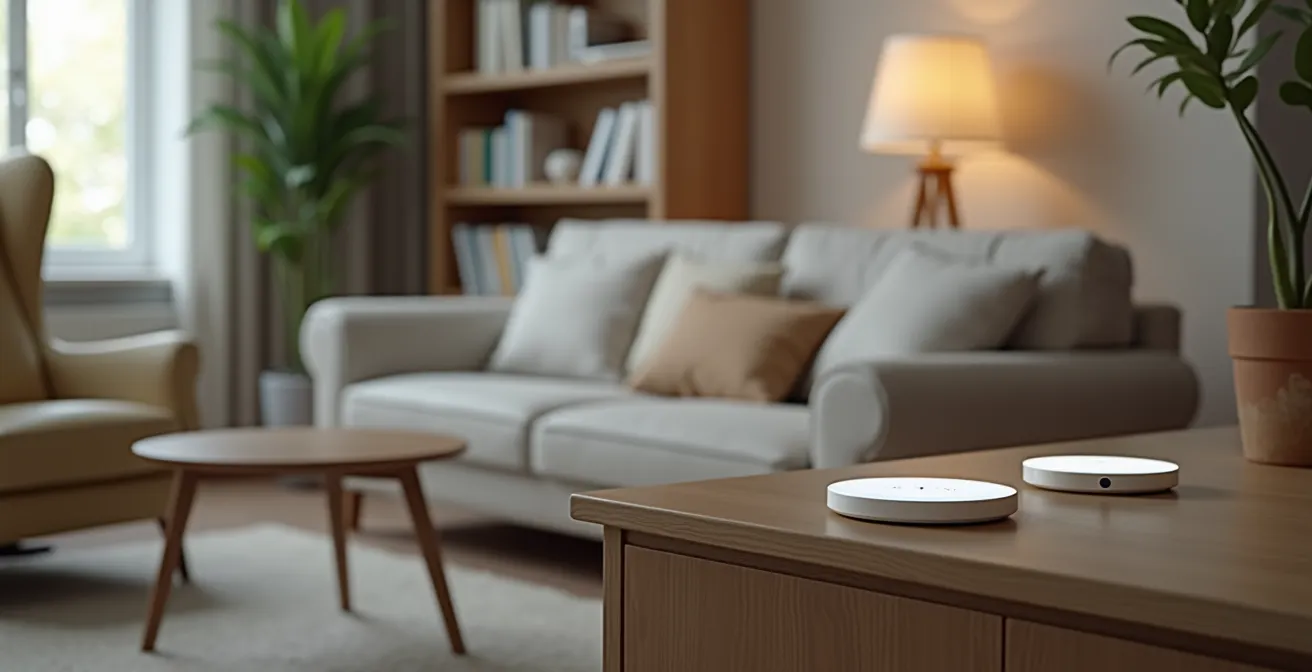
When placing the devices, ensure they are on an open surface, away from walls or obstructions that could muffle the microphone or speaker. Also, keep them away from sources of constant noise like a loud air vent or a television speaker, which can interfere with voice recognition. Finally, adjust the volume on each device to a comfortable level for your parent’s hearing. This zone-based approach ensures the system is not just present, but truly accessible and responsive throughout the home.
Home Care vs Nursing Home: How to Make the Right Choice for Mom?
The decision between arranging in-home care or moving a parent to a nursing home is one of the most difficult a family can face. It’s a choice filled with emotional, financial, and logistical complexities. While factors like medical needs and cost are primary drivers, the emotional component cannot be overlooked. The desire to “age in place”—to remain in the comfort and familiarity of one’s own home—is a powerful force. In fact, most people over 50 want to stay in their homes as they age, a sentiment that only grows stronger with time.
This is where technology, specifically a well-designed voice-controlled ecosystem, can fundamentally change the calculus. By creating a safer, more connected, and more manageable home environment, smart technology can extend the viability of home care. It provides a crucial layer of support that can delay or even prevent the need for a nursing home. Voice assistants offer life-saving services like hands-free emergency calls and medication reminders, which directly address some of the biggest risks of living alone.
A smart home can act as a silent partner for both the senior and any in-person caregivers. It can automate daily tasks, provide passive monitoring through sensors, and offer easy ways to connect with family. This technological support system doesn’t replace human care, but it powerfully augments it. It can provide peace of mind that allows a family to confidently choose home care, knowing there is a 24/7 safety net in place. It empowers seniors with a greater sense of control and independence, reinforcing their ability to live safely in the place they love most.
Why Removing Small Decision Frictions Improves Your Mood?
The benefits of a voice-controlled home go far beyond physical safety; they extend to mental and emotional well-being. Every day, we make hundreds of tiny decisions: “Should I get up to turn on the light?”, “Where is the remote?”, “What temperature is it outside?”. For an older adult, these small decisions can accumulate, creating a form of low-grade stress or “cognitive friction.” Each one is a small expenditure of mental and physical energy. Automating these tasks with a simple voice command does more than save a few steps—it liberates cognitive resources.

By removing these minor hurdles, you foster a greater sense of control and self-reliance. This feeling of empowerment is profoundly linked to mood and overall happiness. When a simple voice command can adjust the thermostat, play a favorite song, or call a grandchild, it reinforces a person’s agency and connection to the world. It’s a powerful antidote to the feelings of helplessness that can sometimes accompany aging and physical limitations.
This technology also serves as a vital tool against social isolation. Voice assistants make it effortless to place calls, listen to audiobooks, or access community news, providing a constant source of companionship and engagement. The impact is measurable and significant; compelling research indicates that 85% of studies link voice assistant use to less loneliness in seniors. By reducing daily friction and fostering connection, a voice-controlled environment becomes a meaningful contributor to a senior’s quality of life and emotional health.
Key Takeaways
- The primary goal of a senior-focused smart home is creating a reliable “safety ecosystem,” not just adding gadgets.
- Prioritize solving the #1 point of failure: inconsistent Wi-Fi, ideally with a mesh network.
- Use automated “routines” for crucial tasks like medication reminders to reduce cognitive load and improve adherence.
How to Save Thousands in Water Damage Repairs With a $50 IoT Sensor?
While fall prevention and daily assistance are the primary focus, a truly comprehensive safety ecosystem also protects against environmental hazards. A slow leak under a sink or a burst washing machine hose can quickly lead to thousands of dollars in water damage, creating a massively stressful and disruptive situation for an older adult. Fortunately, this is a risk that can be almost entirely neutralized with inexpensive Internet of Things (IoT) technology integrated into your voice-controlled home.
A smart water leak sensor is a small, battery-powered device that costs as little as $50. You place these sensors in high-risk areas: under sinks, behind the toilet, and near the water heater or washing machine. When the sensor detects even a small amount of water, it triggers an immediate alert. This is where the integration with your voice assistant ecosystem becomes so powerful.
Instead of just a simple beep, you can create a powerful, multi-channel alert routine. For example:
- All smart speakers in the house announce, “Water leak detected in the basement.”
- All smart lights in the house flash red to provide a clear visual warning.
- An immediate push notification is sent to your smartphone, no matter where you are.
This turns a silent, hidden problem into an unmissable event. For ultimate protection, you can even pair these sensors with a smart water shutoff valve, which can automatically turn off the home’s main water supply the moment a leak is detected, preventing catastrophic damage. This proactive monitoring is a perfect example of using technology to create a safer, more resilient home.
By thoughtfully integrating these layers of safety—from fall prevention and medication management to connectivity and environmental monitoring—you create more than just a smart home. You build a responsive, reliable, and caring environment that empowers your loved one to live with greater safety, independence, and dignity. The next step is to start planning your own system, beginning with the most critical safety needs.