
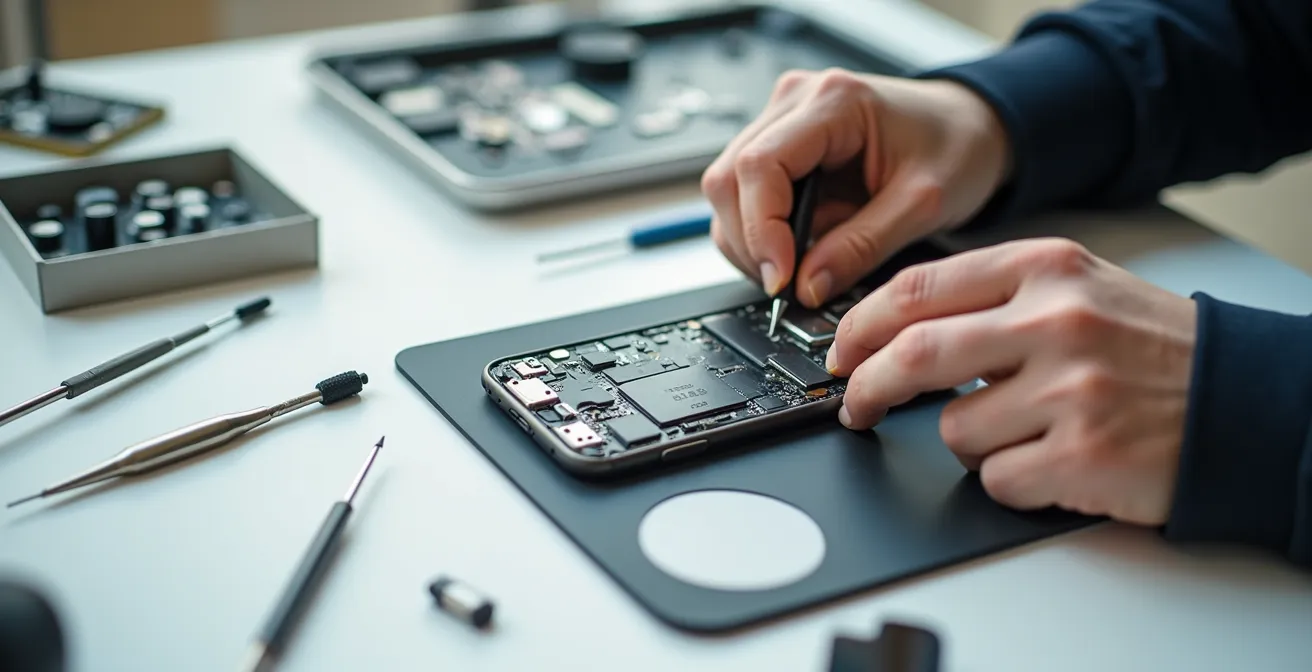
The constant cycle of broken devices isn’t your fault—it’s a feature of a system designed to force consumption. Fighting back isn’t just possible; it’s your right.
- Systemic obsolescence, through glued designs and software locks, intentionally shortens the lifespan of your tech.
- Accessing spare parts and repair knowledge is easier than ever, thanks to community-driven databases and modular device trends.
Recommendation: Adopt a “repair mindset.” Before replacing any device, investigate the potential for repair—it’s the first step toward reclaiming ownership of your technology.
We’ve all felt that familiar sting of betrayal. The smartphone that slows to a crawl just after the warranty expires. The washing machine that dies, leaving you with a quote for repairs that costs almost as much as a new one. The common advice is to sigh, accept defeat, and head back to the store. You’re told it’s just how things are, that technology is too complex, and that a replacement is the easier, better option. This is a lie.
This feeling of helplessness is not an accident; it’s the result of decades of systemic obsolescence. Manufacturers have engineered a world where you are a perpetual consumer, not an owner. They use unrepairable designs, proprietary parts, and software that bricks perfectly functional hardware. But a rebellion is brewing, built in the workshops of repair cafés and fueled by a growing frustration with a disposable culture. This isn’t just about saving a few dollars. It’s a declaration of digital independence.
This guide is your entry into that rebellion. It’s not about becoming a master electrician overnight. It’s about arming you with a new mindset and the strategic knowledge to diagnose problems, source the parts they don’t want you to find, and understand which devices are built to last versus which are designed to die. It’s time to stop being a victim of the upgrade cycle and start being the master of your own technology.
For those who want to see the essential tools of the trade in action, the following video offers a fantastic look at a professional repair toolkit. It’s a perfect visual complement to the strategies we’re about to discuss.
To navigate this fight effectively, we will break down the enemy’s tactics and arm you with counter-strategies. This article covers everything from diagnosing why your devices fail to the economic and ethical reasons for choosing repair over replacement.
Summary: A Practical Guide to Defeating Planned Obsolescence
- Why Your Phone Battery Dies Right After the Warranty Ends?
- How to Find OEM Spare Parts for Discontinued Appliances?
- Modular vs Glued Design: Which Devices Are Actually Repairable?
- The Safety Mistake That Can Cause Lithium Batteries to Fire
- When to Sell Your Old Tech Before It Becomes Worthless E-Waste?
- Repair or Replace: What the Data Says About Appliances Over 7 Years Old?
- How to Extend Your Laptop’s Life to 7 Years to Avoid E-Waste?
- How to Apply the “30-Day Rule” to Stop Impulse Buying Forever?
Why Your Phone Battery Dies Right After the Warranty Ends?
It’s not a coincidence; it’s a calculated strategy. The sudden decline of your phone’s battery life, often timed suspiciously with the end of your warranty or a major software update, is a classic symptom of systemic obsolescence. While all lithium-ion batteries degrade over time, manufacturers have been known to accelerate this process through software-based throttling. This is when an operating system update intentionally slows down older devices, framing it as a measure to “preserve battery health” when, in reality, it nudges you toward a new purchase.
The first step in your rebellion is diagnosis. You need to become the master of your battery’s data, not a victim of the manufacturer’s opaque warnings. Don’t just trust the generic “Service Battery” message. Take control by using diagnostic tools that reveal the truth about your battery’s condition. This simple act of investigation is the first step in breaking the cycle of forced upgrades.
This isn’t just about your phone; it’s a global issue. With a system pushing for constant replacement, it’s no surprise that a stark UN report reveals that less than 22% of global e-waste is formally collected and recycled. Every battery you replace is a small victory against this tide of waste. To start, follow these steps to become an informed owner:
- Download battery health monitoring apps like AccuBattery for Android or CoconutBattery for iOS/macOS.
- Check the current effective capacity against the original design capacity. This is your true health score.
- Monitor charge cycles and degradation patterns over time to understand your usage.
- Note performance drops after OS updates to identify potential software-related throttling.
- Plan a battery replacement when the capacity drops below 80% of its original design. This is the threshold where performance is noticeably impacted.
How to Find OEM Spare Parts for Discontinued Appliances?
So, you’ve diagnosed the problem. It’s a faulty heating element in your dryer or a broken pump in your dishwasher. The manufacturer, however, has “discontinued” the part, hoping you’ll give up and buy their new model. This is another wall in the fortress of obsolescence: controlling the supply of spare parts. But where they build walls, the repair community builds bridges.
The secret is to stop thinking like a consumer and start thinking like a technician. Don’t search for your appliance by its consumer-facing model name (e.g., “Whirlpool Ultimate Care II Dryer”). Instead, you need to find the specific Original Equipment Manufacturer (OEM) part number. This number is the universal key that unlocks a global supply chain, far beyond the manufacturer’s limited inventory. Websites and communities dedicated to repair are your greatest allies in this hunt.
A prime example of this empowerment in action comes from iFixit. Their success demonstrates the power of community-sourced knowledge. By creating a database with over 9,691 medical devices and 5,167 phone repairs, complete with detailed exploded-view diagrams, they enable users to find the exact manufacturer part number. This allows for precise global searches, bypassing the manufacturer’s “out of stock” dead end and connecting you with suppliers worldwide.
This detailed, component-level view is the key to your search. It transforms a complex machine into a collection of manageable, replaceable parts.

As you can see in such diagrams, every gear, spring, and circuit has a unique identity. Armed with the correct part number, you can search marketplaces like eBay, dedicated appliance part websites, or even international suppliers. You are no longer limited by what the original company wants you to find; you have access to the entire market.
Modular vs Glued Design: Which Devices Are Actually Repairable?
Not all devices are created equal. Your ability to repair a gadget is often determined before you even buy it, right on the design floor. The battle between a repair-friendly future and a disposable present is waged in the choice between modular and glued-down design. Understanding this difference is critical to choosing devices you can truly own.
Modular devices, like those from Fairphone or Framework, are the gold standard for repairability. They are designed like LEGO sets, with components that can be easily swapped out using basic tools. A cracked screen, a dying battery, or an outdated camera can be replaced in minutes. At the other end of the spectrum are devices held together by copious amounts of adhesive and soldered components. These require specialized tools like heat guns and soldering stations, and the risk of collateral damage during a repair is immense. This isn’t just a design choice; it’s a philosophical one, intended to make repair so difficult that you don’t even try.
But the most sinister tactic is “part pairing”—a digital prison for your components. This is where a manufacturer uses software to lock a specific serial-numbered part (like a screen or camera) to the device’s logic board. Even if you use a genuine, identical replacement part, the device’s software will reject it, disabling features or refusing to function altogether. As the Fight to Repair Coalition warns in the Human-I-T Right to Repair Report, “The practical consequences of parts pairing could be devastating for small, independent repairers.” It is the ultimate expression of corporate control over a device you supposedly own.
The practical consequences of parts pairing could be devastating for small, independent repairers
– Fight to Repair Coalition, Human-I-T Right to Repair Report
Before you buy, or as you assess a repair, understanding where your device sits on this spectrum is crucial. The following table breaks down the landscape of repairability.
| Design Type | Examples | Tools Required | Skill Level | Repairability Score |
|---|---|---|---|---|
| Socketed/Modular | Fairphone, Framework | Basic screwdriver | Beginner | 9-10/10 |
| Screw-Fastened | Older ThinkPads | Precision screwdrivers | Intermediate | 7-8/10 |
| Clip-Fastened | Many plastic electronics | Plastic spudgers | Intermediate | 5-6/10 |
| Adhesive-Bound | Modern smartphones | Heat gun, specialized tools | Advanced | 3-4/10 |
| Component-Soldered | Modern MacBooks | Soldering station | Expert | 1-2/10 |
The Safety Mistake That Can Cause Lithium Batteries to Fire
As you embrace the repair mindset, you take on not just power but also responsibility. Lithium-ion batteries, the lifeblood of our portable electronics, are marvels of energy density, but they are also volatile. One careless slip with the wrong tool can lead to a thermal runaway event—a fire that is notoriously difficult to extinguish. This is not meant to scare you away from repair, but to arm you with the respect and knowledge needed to work safely.
The single most critical mistake is using metal tools near battery terminals. A metal pry tool, screwdriver, or even a stray pair of tweezers can bridge the battery’s positive and negative contacts, causing a dead short. This can heat the battery instantly, leading to swelling, smoke, and fire. Always use plastic or nylon spudgers when working near or disconnecting a battery. This simple rule is non-negotiable.
While e-waste represents only 2-3% of annual global waste, its toxicity is disproportionately high, especially when batteries are mishandled and end up in landfills. Handling them correctly during repair and disposal is part of our responsibility. Beyond avoiding metal tools, a strict safety protocol is essential for any work involving power.
Before you ever open a device, internalize this protocol. This isn’t just a list of tips; it’s a professional discipline that separates a successful repair from a disaster. It protects you, your home, and your device.
Your Pre-Repair Safety Audit: 5 Points to Verify
- Points of contact: Have you identified all battery terminals and power capacitors on the logic board before you begin?
- Tool collection: Have you inventoried your tools and ensured only plastic or nylon spudgers will be used near the battery?
- Discharge plan: Have you confirmed all capacitors are discharged before touching power-related components?
- Emergency prep: Do you have a metal container with sand ready and an outdoor space designated for any swollen or damaged batteries?
- Disposal plan: Have you located your nearest certified e-waste or battery recycling center for proper disposal *after* the repair is complete?
When to Sell Your Old Tech Before It Becomes Worthless E-Waste?
In the fight for ownership, strategy is as important as skill. Sometimes, the most powerful move is knowing when a device’s value is about to plummet. This isn’t determined by scuffs or scratches, but by a far more insidious factor: the end of its software support lifecycle. A perfectly functional piece of hardware can be rendered nearly worthless overnight once it stops receiving security updates.
Once a device is cut off from security patches, it becomes a liability. It’s unsafe for online banking, insecure for personal data, and often incompatible with new apps. This “software death” is the moment a device’s resale value craters. The key is to anticipate this date and sell your device while it still has a year or two of supported life left, maximizing its value for the next owner and ensuring it doesn’t become another piece of e-waste in your drawer.
A powerful case study of this principle is the “Chromebook Churn” scandal. After a PIRG report revealed that millions of school-issued Chromebooks would have their software support expire, rendering them unsafe for students, Google was pressured into action. They ultimately extended Chromebook support to 10 years, a huge victory that proves that software lifecycles are not set in stone and can be influenced by public pressure. This highlights how crucial software is to a device’s longevity and value.

These older devices aren’t just junk; they represent a transition point. They may still be functional, but their value is fading due to a lack of software support. The strategic owner knows to pass them on while they are still useful, not wait until they are a security risk. Check your manufacturer’s website for “end-of-life” or “software support” policies for your specific model, and set a calendar reminder one year before that date.
Repair or Replace: What the Data Says About Appliances Over 7 Years Old?
The “just buy a new one” argument often hinges on the idea that repairing older appliances isn’t cost-effective. But this is another myth propagated by a system that profits from your purchases, not your prudence. The data tells a very different story: repairing is almost always the smarter choice, both for your wallet and the planet.
Manufacturers have a vested interest in shortening the replacement cycle. Data from the ENDS Europe agency revealed a disturbing trend: the percentage of large home appliances being replaced within their first five years rose from 7% in 2004 to 13% in 2013. More telling, the number of units sold specifically to replace faulty appliances more than doubled in a similar period. This shows a clear pattern of decreasing product lifespans, forcing more frequent and costly replacements.
The economic argument for rebellion is overwhelming. When you choose repair, you’re not just fixing a machine; you’re opting out of this expensive cycle. In fact, research shows that American consumers could collectively save $40 billion each year by repairing their products instead of replacing them. That’s money that stays in your community and your pocket, rather than flowing back to the multinational corporations that created the problem.
So, what’s the rule of thumb? For a major appliance that is over seven years old, a repair is generally worthwhile if the cost is less than 50% of the price of a new, comparable model. Given the rising cost of new appliances and the often-simple nature of common repairs (a new belt, a new pump, a new fuse), the math is almost always in favor of repair. It’s a direct, tangible benefit of the repair mindset.
How to Extend Your Laptop’s Life to 7 Years to Avoid E-Waste?
A laptop is often seen as having a 3-4 year lifespan. This is one of the biggest deceptions of the tech industry. With strategic upgrades and maintenance, a well-chosen laptop can remain a fast, reliable, and secure workhorse for seven years or even longer. This isn’t about tolerating a slow machine; it’s about making smart interventions that give it a new lease on life.
The secret is to identify and eliminate bottlenecks as they appear. The most common culprit in an aging laptop is a slow mechanical hard disk drive (HDD). When your task manager consistently shows 100% disk usage and simple tasks take forever, it’s time for a solid-state drive (SSD) upgrade. This single change can make a five-year-old laptop feel faster than a brand-new budget model. Another major factor is thermal throttling, where an overheating CPU slows itself down to prevent damage. A simple cleaning of dust from the fans and a re-application of thermal paste can restore its original performance.
When even hardware upgrades aren’t enough, consider liberating your machine with a lightweight operating system. A full-featured but resource-heavy OS like Windows can bring older hardware to its knees. Switching to a nimble alternative like Linux Mint, Zorin OS, or even Google’s ChromeOS Flex can make the machine feel incredibly responsive again. This is the ultimate act of ownership: replacing the manufacturer’s software with one that serves you, not their upgrade cycle.
This philosophy of continuous improvement is the core of the repair movement. It’s a sentiment perfectly captured by the team at iFixit.
At iFixit, we don’t think you really own a device unless you’ve fixed it
– iFixit Team, iFixit Electronics Skills Guide
Here’s a practical battle plan for achieving that 7-year laptop lifespan:
- Years 1-3: Basic maintenance. Clean dust from fans and vents every 6 months.
- Year 3 or 4: The performance boost. Replace the original HDD with an SSD when you notice slowdowns. Re-apply thermal paste to the CPU/GPU to prevent overheating.
- Year 5: The battery swap. Replace the battery when its capacity drops below 80% to maintain portability and performance.
- Year 6-7: The software rebirth. Install a lightweight operating system to keep the machine fast and secure long after the manufacturer has abandoned it.
Key Takeaways
- Repair is an act of rebellion against a system of planned obsolescence designed to control your consumption.
- A device’s repairability is determined by its design (modular vs. glued) and software (parts pairing), not just its components.
- Adopting a “repair mindset”—diagnosing, sourcing parts, and performing maintenance—is the key to true ownership and significant long-term savings.
How to Apply the “30-Day Rule” to Stop Impulse Buying Forever?
We’ve armed you with the tactics to fight back when a device fails. But the final boss in this battle is not a corporation; it’s the culture of consumerism itself. The impulse to immediately replace, upgrade, and acquire the “next new thing” is the fuel that powers the entire system of e-waste and planned obsolescence. The ultimate act of rebellion is to break this cycle within yourself.
The scale of the problem is staggering. Consider that Americans dispose of approximately 416,000 cell phones every day. This isn’t sustainable. The Global E-waste Monitor 2024 reports that while e-waste generation has soared, our ability to handle it has not. Global e-waste is growing five times faster than our documented recycling capacity. We cannot recycle our way out of a problem created by overconsumption.
The solution is a simple but powerful psychological tool: the 30-Day Rule. When you feel the urge to buy a new gadget—whether it’s an upgrade or a replacement for something “broken”—stop. Write down the item and the date. Then, wait 30 days. During this cooling-off period, the manufactured urgency and marketing hype will fade. You can use this time to properly diagnose your “broken” device, research repair options, and honestly assess if you truly need the new item.
After 30 days, re-evaluate. More often than not, you’ll find that the impulse has passed, you’ve successfully repaired your old device, or you’ve realized your current tech is perfectly adequate. This rule is a firewall against impulse buying, forcing you to move from a reactive consumer to a deliberate owner. It’s the final piece of the repair mindset, transforming your relationship with technology from one of constant desire to one of lasting value.
The next time a device glitches or a shiny new model calls to you, see it not as a problem or a temptation, but as an opportunity. It’s a chance to practice this new mindset, to investigate before you discard, and to assert your power. Start your repair journey today, apply the 30-Day Rule on your next impulse, and join the rebellion that reclaims technology for its rightful owners: you.